
How to choose an ElevenLabs voice for YouTube Shorts and narration
There's no single best ElevenLabs voice: the right one fits your story and your audience, and stays available for as long as your channel runs. This guide shows how to shortlist voices in ElevenLabs' Voice Library, test them on your own script with the right settings, and check the licence and YouTube's rules before a voice carries a channel that earns, as of 11 October 2026.
Start from your script, not a list of popular voices
Search for the best ElevenLabs voice and you’ll find the same handful of names on every list. Most of them are ElevenLabs’ old Default voices, and ElevenLabs’ own help page says all Default voices “will expire on December 31, 2026”, and are only available to accounts made before March 2026. ElevenLabs suggests a replacement for each (Roger becomes Darian, Warm Grounded Storyteller; George becomes Eldrin, Crisp British Baritone; Brian becomes Sawyer, Midnight Storyteller), but says they aren’t strict one-to-one matches. A channel built on one of those voices today will need a new one in under three months.
So start somewhere else: your channel. Write down three things before you open the Voice Library:
- Who’s listening, and where: the language and accent your audience expects.
- The job: calm narration for a history Short, quick energy for a facts channel, warmth for a children’s story.
- Your hook: the first one or two lines of a real script. That’s what you’ll test every voice on.
Shortlist three voices in the Voice Library
ElevenLabs’ Voice Library is “a marketplace where our community can share Professional Voice Clones”. Its filters do most of the work, in this order:
- Language. ElevenLabs says voices tagged with a language perform best in it.
- Accent. It appears once you’ve picked a language.
- Category, “their suggested use case”: Narration, Social Media, Educational, Characters, Conversational, Advertisement or Entertainment.
- Gender and age, if your idea needs them.
Then check four things on each voice you like, because they decide whether it will still be there, and what it costs:
- Notice period. If the owner removes a voice, you keep it for its notice period: “The minimum notice period is 30 days, and the maximum is 2 years.” A voice with none can vanish at once. For a channel, choose one with a notice period.
- Studio Quality. These voices have been checked by ElevenLabs’ testers for clean recordings, free of echo and distortion.
- Paid only, or a multiplier. Some voices are only for paid subscribers, and some cost more: a voice with a 2x multiplier uses twice the credits.
- Live Moderation. A shield label means the text you send this voice is checked against banned categories, which can add a little delay.
Saving a library voice doesn’t use one of your custom voice slots, so save all three. One catch if you work through other apps: library voices aren’t available through the API on the free plan.
Test them on your own hook, with the right settings
Paste your hook into each voice and listen for the first two seconds, which is where a Short is won or lost. Read it on Eleven v4: ElevenLabs released it on 28 September 2026 and its v4 page says “We strongly recommend switching to v4”. Its models page still describes Multilingual v2 as the stable choice for long-form narration, so if a voice was made for v2 and sounds wrong on v4, try it there.
The settings differ by model:
| Setting | Eleven v4 | Older models, such as Multilingual v2 |
|---|---|---|
| Stability | Yes | Yes; ElevenLabs says 50 “is generally a great starting point” |
| Similarity | Yes | Yes; around 75 to start |
| Style exaggeration | Not offered | ElevenLabs recommends “keeping this setting at 0 at all times” |
| Speed | Not offered | 0.7 to 1.2; extreme values can hurt quality |
Lower stability gives more range and feeling; set too high, some voices go flat. On v4 and v3 you can also direct the delivery with audio tags: wrap a short instruction in square brackets where the voice should change, such as [whispers] before a reveal. ElevenLabs suggests describing the voice in the tag, because a tag can be read as a request for a sound effect.
Or use your own voice
Your own voice is the one no other channel has, and YouTube’s disclosure rules list “cloning one’s own voice to create voiceovers or dubs” among the uses that don’t need labelling.
- Instant Voice Cloning: ElevenLabs recommends about one to two minutes of clear audio, and you must confirm you have the right and consent to clone the voice. It’s on paid plans from Starter.
- Professional Voice Cloning: a closer match from at least 30 minutes of audio, and a verification step. ElevenLabs is clear you can’t make one of someone else’s voice, even with their consent.
- Voice Design: describe a voice (“a calm male narrator”) and ElevenLabs makes three options. It says Voice Design is still experimental.
Check the licence and YouTube’s rules before you earn
ElevenLabs’ licence. Its terms (the UK and EEA version, last updated 9 October 2026) say a free user “may only use the Services for non-commercial purposes”, and a paid user may use them commercially. If the channel will earn, or might, make its voices on a paid plan. See ElevenLabs’ pricing page for the plans.
YouTube’s monetisation rules. YouTube’s policies say nothing against AI voices as such. What they exclude is content that’s “mass-produced, generic, repetitive or manipulative”: AI content made from generic templates, slideshows with little or no narrative, and videos that only read out material you didn’t create. They also bar AI personas that pose as human experts on health, law, finance or politics. A story you wrote, read by a voice you chose, is the kind of thing YouTube says is fine.
Shorts. A Short can be up to three minutes long, in a square or vertical shape (YouTube Help). Our faceless YouTube guide covers the rest of YouTube’s rules for story channels.
Keep one voice for the whole channel
Once you’ve chosen, the voice is part of your channel’s identity, so use the same one, at the same settings, every time.
We built BosOn, our desktop app for Windows and Mac (in early access), to make that easy. Connect your ElevenLabs key (ElevenLabs is Ready on our integrations page) and BosOn’s voice picker shows your own and cloned voices first, then ElevenLabs’ and the library voices you’ve added, with filters for platform and accent. Stability, similarity, style, speaker boost and speed are under More, and every voiceover is one continuous read, filed in your library with the voice and the characters it used.
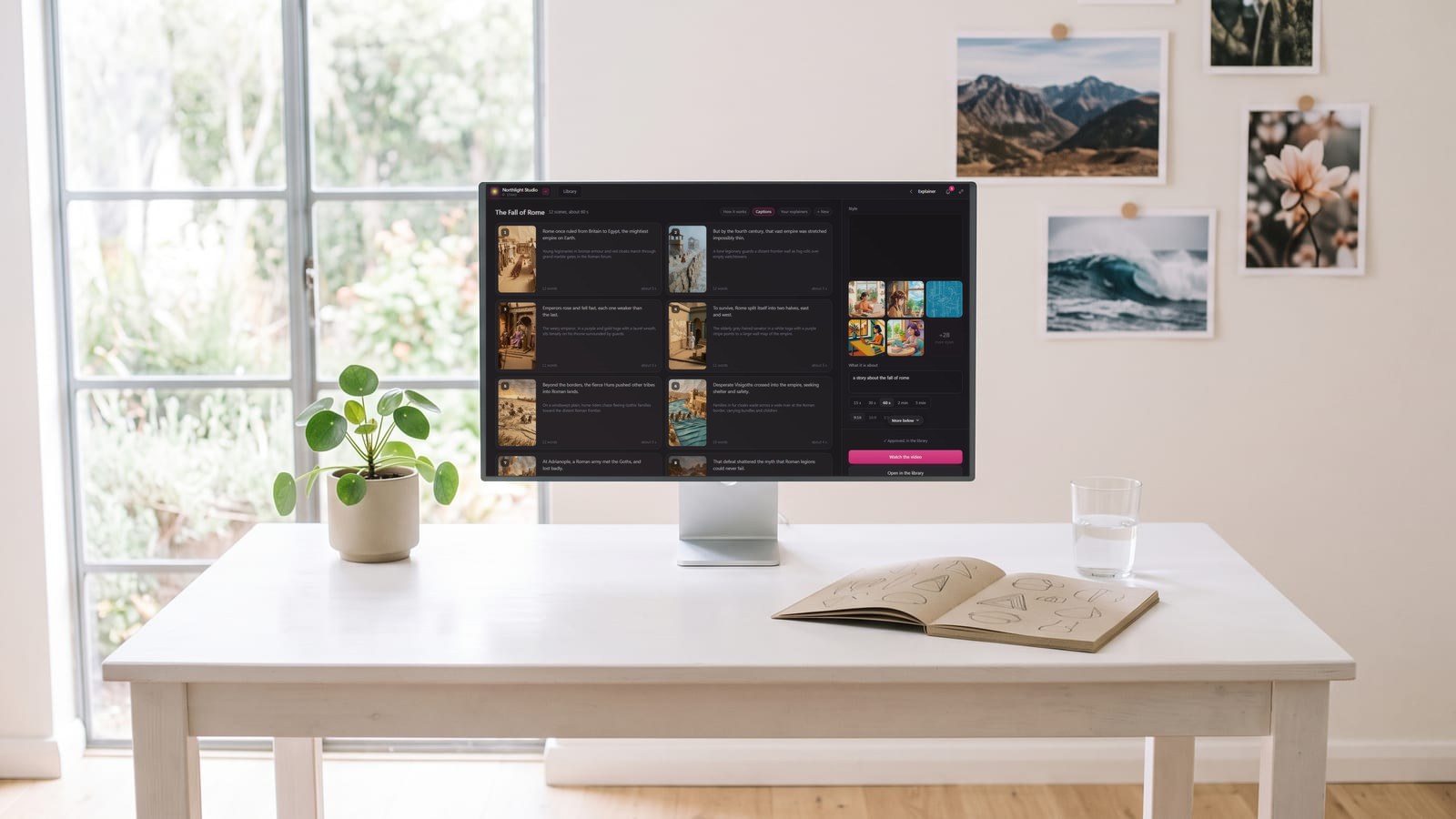
In BosOn’s Explainer Studio, which turns a story into a narrated video scene by scene, an ElevenLabs voice reads the whole narration in one take, cut at the pauses between scenes, and a voice made for Multilingual v2 is read on that model so it keeps its accent. See it on our Create page.
BosOn is independent and isn’t affiliated with or endorsed by ElevenLabs or YouTube.
Questions people also ask
What is the best ElevenLabs voice for YouTube Shorts?
There isn't one. The best voice is the one that suits your topic and your audience, sounds right on your own script, and will stay available. Shortlist three in the Voice Library by language, accent and a use case such as Narration or Social Media, then test each on your hook before you choose.
Can I use ElevenLabs voices on a monetised YouTube channel?
Yes, on a paid ElevenLabs plan. ElevenLabs' terms, last updated 9 October 2026, say free users may only use the service for non-commercial purposes and paid users may use it commercially. YouTube doesn't ban AI voices, but its monetisation policies exclude mass-produced, templated content and channels that only read out material you didn't create.
Do I have to label an AI voice on YouTube?
Usually not. YouTube asks creators to disclose AI that makes a real person appear to say or do something they didn't, alters real events or places, or creates a realistic scene that didn't happen. Its own examples say cloning your own voice for voiceovers or dubs doesn't need disclosing.
What happens if a Voice Library voice I use is removed?
It depends on the voice's notice period. Owners can set one from 30 days to 2 years, and people who saved or used the voice are told by email and in the app. A voice with no notice period can disappear at once, so for a long-running channel choose one with a notice period.
Which ElevenLabs model is best for narration?
ElevenLabs says it strongly recommends switching to Eleven v4, its newest model from 28 September 2026, and testing it with your own voices. Its models page describes Multilingual v2 as stable and consistent for long-form content and professional narration, so a voice built for Multilingual v2 can still sound best there.
Sources
- ElevenLabs docs: Voice Library
- ElevenLabs docs: What are Default voices?
- ElevenLabs docs: Text to speech settings
- ElevenLabs docs: Eleven v4
- ElevenLabs docs: Models
- ElevenLabs docs: Instant Voice Cloning
- ElevenLabs docs: Professional Voice Cloning
- ElevenLabs: Terms of Service for the UK and EEA (last updated 9 October 2026)
- YouTube Help: YouTube channel monetisation policies
- YouTube Help: Disclosing use of GenAI content
- YouTube Help: Upload YouTube Shorts