
FLUX 3 Image: what it is, what it does well, and where to use it
FLUX 3 Image is Black Forest Labs' new model for making and editing pictures, released on 1 October 2026: you can place each thing in the frame with a box, edit one part while the rest stays put, use up to ten reference pictures and make pictures up to 4K. This page sets out what it does, where it falls short, how to prompt it, and where you can use it as of 8 October 2026.
FLUX 3 Image is the picture half of Black Forest Labs’ new family
Black Forest Labs, the team behind the FLUX models, announced FLUX 3 on 23 July 2026 as one model that learns from pictures, video and sound together. It is being released in parts: FLUX 3 Video arrived as a preview on 4 August 2026, and FLUX 3 Image followed on 1 October 2026, according to the company’s API release notes.
FLUX 3 Image makes pictures from a prompt, edits pictures you give it, and combines up to ten reference pictures, all through one endpoint. There is no switch between “make” and “edit”: the release notes say “There is no mode field”. What you send and what you write decide which it does.
What sets it apart is control. Black Forest Labs headlines it as “maximum control over every pixel”, and three features carry that:
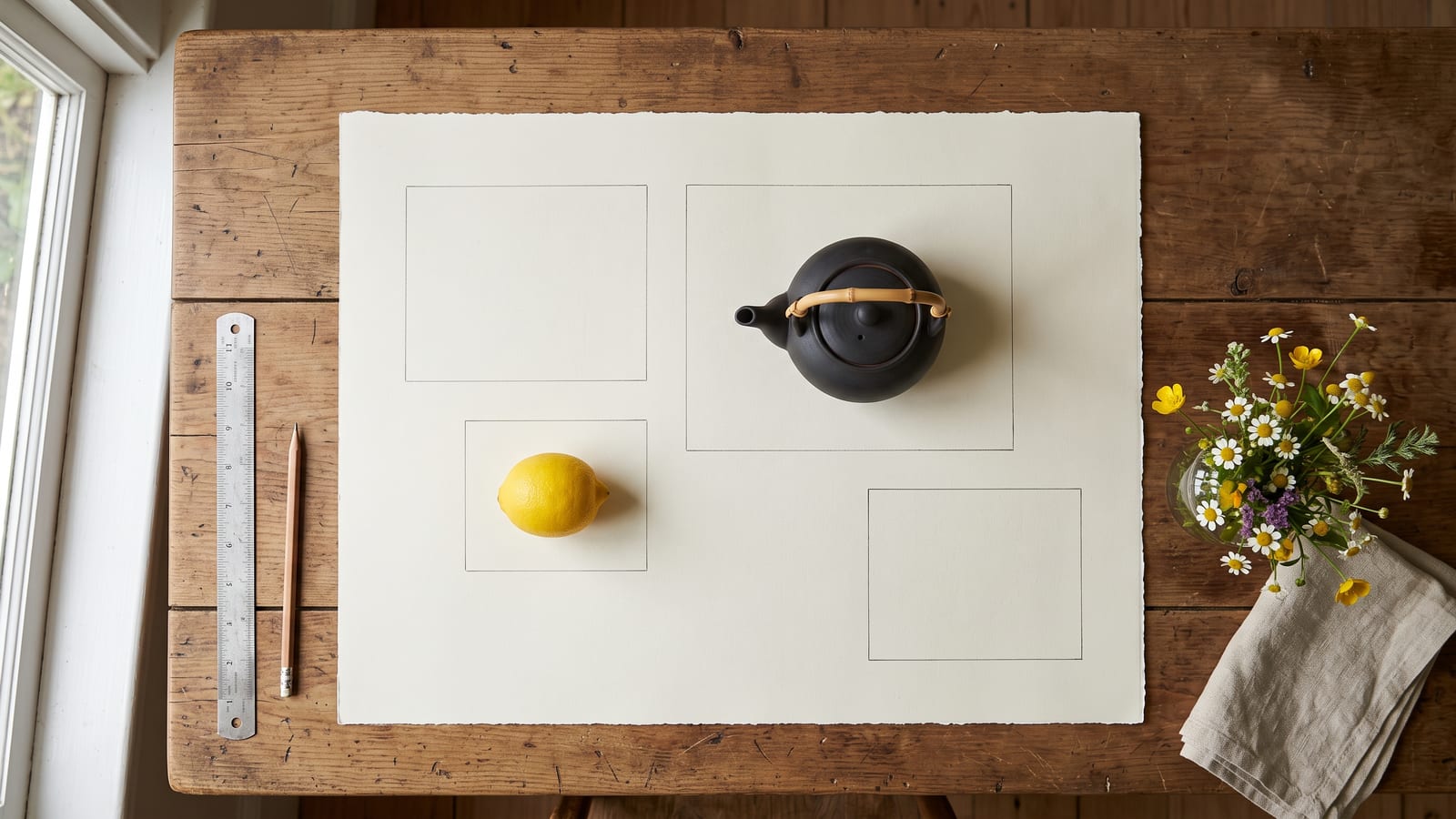
- Boxes for layout. You can draw a box for each element and describe what goes in it, so the teapot goes exactly here and the title exactly there. Or skip the boxes and write a normal prompt.
- Edits that leave the rest alone. You can move, replace or recolour one element. The model page says “Everything you didn’t touch stays exactly where it was.”
- Big pictures, made big. It makes 2K and 4K pictures directly rather than enlarging a small one. The model page’s example is 5456 by 3072 pixels, about 16.8 megapixels.
What it can do, from Black Forest Labs’ own pages
All of this is from Black Forest Labs’ documentation and model page, read on 8 October 2026. We haven’t run our own tests.
| FLUX 3 Image | |
|---|---|
| Released | 1 October 2026 |
| Sizes | 768 square, 1K (the default), 2K and 4K |
| Largest picture | About 16 megapixels at 4K |
| Shapes | 15, from 21:9 to 9:21, or “auto” to follow your first picture |
| Reference pictures | Up to 10 per request, each 256 by 256 pixels to 16 megapixels |
| Layout | Optional boxes on a 0 to 1000 grid, one per element |
| Edits | Recolour, replace, move, add or remove one element |
| Text in pictures | Yes, in several languages and scripts |
| Negative prompt, seed | Not supported |
A few of these are worth explaining.
Short prompts get expanded. The prompting guide says short prompts work because FLUX 3 Image turns them into detailed descriptions before it draws. The expanded version comes back with the picture, so you can see how the model read you. Any box you drew, the model page says, “reaches the model verbatim”.
Text works in other scripts. Black Forest Labs’ July announcement lists multilingual text rendering, and its examples include Japanese, French and Georgian text, quoted inside English prompts.
The model page also describes a planning helper: give it one line and a shape, and a language model lays out the boxes for you, which you can then adjust.
Compared with FLUX.2, Black Forest Labs’ own pages say FLUX.2 takes the same ten references but makes pictures up to 4 megapixels, so 4K output and boxes are the real changes.
Where it falls short
Black Forest Labs’ documentation is open about the edges, and they matter before you plan client work around it:
- “Unchanged” means mostly unchanged. The editing guide says pixels outside the boxes “usually stay the same, but shadows, reflections, and nearby lighting may still change”. Its own examples show how much of each picture stayed identical, from 67.8% when recolouring hair to 94.1% when adding two tiny divers.
- Tiny boxes can fail. In Black Forest Labs’ tests, a new element in a box of about 40 by 25 pixels often didn’t appear. Give new things room.
- The grid stretches with the frame. Boxes are placed on a 0 to 1000 grid in both directions, so a layout made for 16:9 lands differently in 9:16. Choose the shape first.
- Changing size means a new picture. Moving from a 1K draft to 4K makes a new generation, and the guide warns the composition can differ. 4K “can take several minutes”.
- No seed and no negative prompt. You can’t lock a result and nudge it, or list what to leave out. Everything goes in the prompt.
- Results don’t wait. Through the API, the finished picture’s download link expires after one hour.
- Moderation. Black Forest Labs can block a request or its result. Sending a blocked request again unchanged fails again.
How to prompt it
Black Forest Labs’ prompting guide, read on 8 October 2026, boils down to a few habits:
- Start with the subject, then add only what you want to control: position, light, colour, text. Leave out empty praise like “beautiful” or “masterpiece”; the guide says to describe only what can be seen.
- Put the exact words in quotation marks, then say where they go and how they look. Line breaks go inside the quote.
- Refer to references by position. “Image 1” is the first picture you send, “image 2” the second, and you say what each is for: image 1 as the subject, image 2 for the style.
- Set the shape yourself. With no reference picture, “auto” gives you a square.
- For edits, name the element precisely so only one thing matches, and say that everything else should stay the same.
- Change one thing at a time, starting from a simple version.
If you keep a character or product in several models, use the same small set of reference pictures every time rather than a fresh screenshot. Our guide to keeping a character consistent covers that in more detail.
Where you can use it
As of 8 October 2026:
- Black Forest Labs’ Playground, in a browser, where you can draw the boxes by hand.
- Black Forest Labs’ API, for developers and tools built on it.
- Krea. Its FLUX 3 Image page reads “Early access to FLUX 3 Image”, with no date for full availability. Krea is good at putting many models side by side in one place, so it is a natural first stop if you already work there.
- OpenRouter and Replicate list FLUX 3 Image with Black Forest Labs as the provider, for people who already reach models that way.
- Higgsfield: not yet, as far as we can see. Higgsfield’s guide of 16 August 2026 says FLUX 3 Video is on Higgsfield in early access and that Image is part of the wider rollout. We found no Higgsfield page for FLUX 3 Image on 8 October 2026. Higgsfield already offers FLUX.2, alongside its wide range of video models.
Running it on your own servers is possible under Black Forest Labs’ commercial weights licence. There is no open download of FLUX 3 Image yet; the July announcement promises an open-weight FLUX 3 Dev, without a date.
For costs, see Black Forest Labs’ pricing page, or the pricing page of the platform you use.
Keeping what you make with it
A new model usually means a new place for pictures to pile up: a Playground history, a Krea gallery, a downloads folder, and a one-hour API link that is easy to miss. Download the ones you want to keep as you go, and name them with the model, so you can tell a FLUX 3 picture from a FLUX.2 or Nano Banana one later.
BosOn doesn’t run FLUX 3 Image (our ready integrations are on the integrations page), but you can drop pictures from anywhere into its library and keep them next to everything else you make. BosOn is in early access.
We will update this page when Higgsfield or other platforms add FLUX 3 Image, or when Black Forest Labs releases open weights.
Questions people also ask
When was FLUX 3 Image released?
Black Forest Labs released FLUX 3 Image on 1 October 2026, according to its API release notes. It is part of FLUX 3, which the company announced on 23 July 2026; FLUX 3 Video came first, as a preview, on 4 August 2026.
Is FLUX 3 Image open source, or can I download it?
Not as an open download, as of 8 October 2026. Black Forest Labs' model page offers FLUX 3 Image under a commercial weights licence for companies that want to run it on their own servers. Its July 2026 announcement promises an open-weight model, FLUX 3 Dev, with no date given.
How many reference pictures can FLUX 3 Image use?
Up to ten per request, according to Black Forest Labs' documentation, read on 8 October 2026. Each must be at least 256 by 256 pixels and no more than 16 megapixels, and in the prompt you refer to them by position: image 1, image 2 and so on.
Is FLUX 3 Image on Higgsfield?
We found no Higgsfield page offering FLUX 3 Image on 8 October 2026. Higgsfield's guide of 16 August 2026 says FLUX 3 Video is on Higgsfield in early access and that Image is part of the wider rollout. Higgsfield already offers FLUX.2 for pictures.
What is the difference between FLUX 3 Image and FLUX.2?
Both take up to ten reference pictures. Black Forest Labs' pages say FLUX.2 makes pictures up to 4 megapixels, while FLUX 3 Image goes to 4K, about 16 megapixels, and adds bounding boxes for placing and editing each element. FLUX.2 has an open-weights version, FLUX.2 [dev]; FLUX 3 Image doesn't yet.
Sources
- Black Forest Labs: API release notes
- Black Forest Labs: FLUX 3 Image, maximum control over every pixel
- Black Forest Labs: FLUX 3, Real World Models (23 July 2026)
- Black Forest Labs docs: FLUX 3 Text to Image
- Black Forest Labs docs: FLUX 3 Image Editing
- Black Forest Labs docs: Bounding boxes with FLUX 3 Image
- Black Forest Labs docs: Prompting basics
- Black Forest Labs docs: Technical parameters
- Black Forest Labs: FLUX.2
- Krea: FLUX 3 Image
- OpenRouter: FLUX.3 Image
- Replicate: black-forest-labs/flux-3-image
- Higgsfield: Meet Flux 3 on Higgsfield (16 August 2026)