
Midjourney V8 explained: what changed, and what V8.2 means for you
Midjourney V8 is Midjourney's current family of picture models, and V8.2, the default since 24 July 2026, is the one you get unless you choose otherwise. Since 27 August its new Edit Model has done the job of Omni Reference and Character Reference, with up to four reference pictures. This page sets out what changed from V7, what V8 doesn't do, and how to work with it, as of 8 October 2026.
V8 is Midjourney’s current model, and V8.2 is the version you get
Midjourney’s strength has long been its look, and the tools for steering it: Personalization, moodboards and style references. V8 is a new model under all of that, and it arrived in steps. These dates are all from Midjourney’s own version page and update posts, read on 8 October 2026:
| Version | What happened | Date |
|---|---|---|
| V8.0 | Early alpha on alpha.midjourney.com | 17 March 2026 to 24 July 2026, now retired |
| V8.1 | Released; the default from 10 June | 14 April 2026 |
| V8.2 | The default | 24 July 2026 |
| Edit Model | Released for everyone to test on V8.2 | 27 August 2026 |
| V7 | The default before V8 | 17 June 2025 to 9 June 2026 |
So if you open Midjourney today and type a prompt, V8.2 makes it. Pictures you made in V8.0 are still in your gallery, but Midjourney says that version can no longer be used. To pick another version, add --v 8.1 or --v 7 to the end of your prompt, or set a default in the settings panel; the same works in Discord.
Midjourney describes V8.2 as an update to “aesthetics and image quality and personalization”: pictures that are “more creative, bold, sophisticated, edgy and fresh”, fewer random low-quality results, and Personalization that reads your taste better, especially if you have rated a lot of images.
What changed from V7
Midjourney’s V8 alpha post of 17 March 2026 set out the big changes, and V8.1 built on them:
- It follows directions better. Midjourney says V8 is “much better at following detailed directions”, with more coherent, detailed pictures.
- Text works better, in quotation marks. The alpha post says text rendering is better “than ever (when specified in ‘quotes’)”. Put the exact words in quotes.
- It is faster. About five times faster than before, according to the alpha post. For V8.1, Midjourney’s version page says standard jobs render about four to five times faster than earlier versions.
- HD at about 2K without upscaling. V8.1 and V8.2 can make 2048 pixel pictures directly, with
--hdor the setting on the website. V8.1’s post says HD became the default for that version.--sdgives you standard size, which is quicker for exploring. - Your styles carry over. V8 works with your V7 Personalization profiles, moodboards and style references. The version page notes you may need to unlock your global V7 or V8 Personalization profile to use V8.1.
- Image prompts came back in V8.1, with image weights, along with a prompt shortener for prompts over the length limit and an updated Describe that writes longer prompts in V8’s style.
Midjourney’s own prompting advice from the alpha post still holds: V8 “may require totally new prompting styles”. It suggests longer, more specific prompts, and --raw right away if you want photos or a plainer look you control.
The Edit Model replaced Omni Reference and Character Reference
This is the change most guides written before September miss. On 27 August 2026 Midjourney released its V8.2 Edit Model for everyone to test, and it now does three jobs:
- Edits with written instructions, such as “make this girl into a real character” (an example from Midjourney’s help page).
- New pictures from up to four reference pictures, which, Midjourney’s help page says, replaces Omni Reference and Character Reference.
- Changing one area (inpainting) or extending the canvas (outpainting) in the Editor.
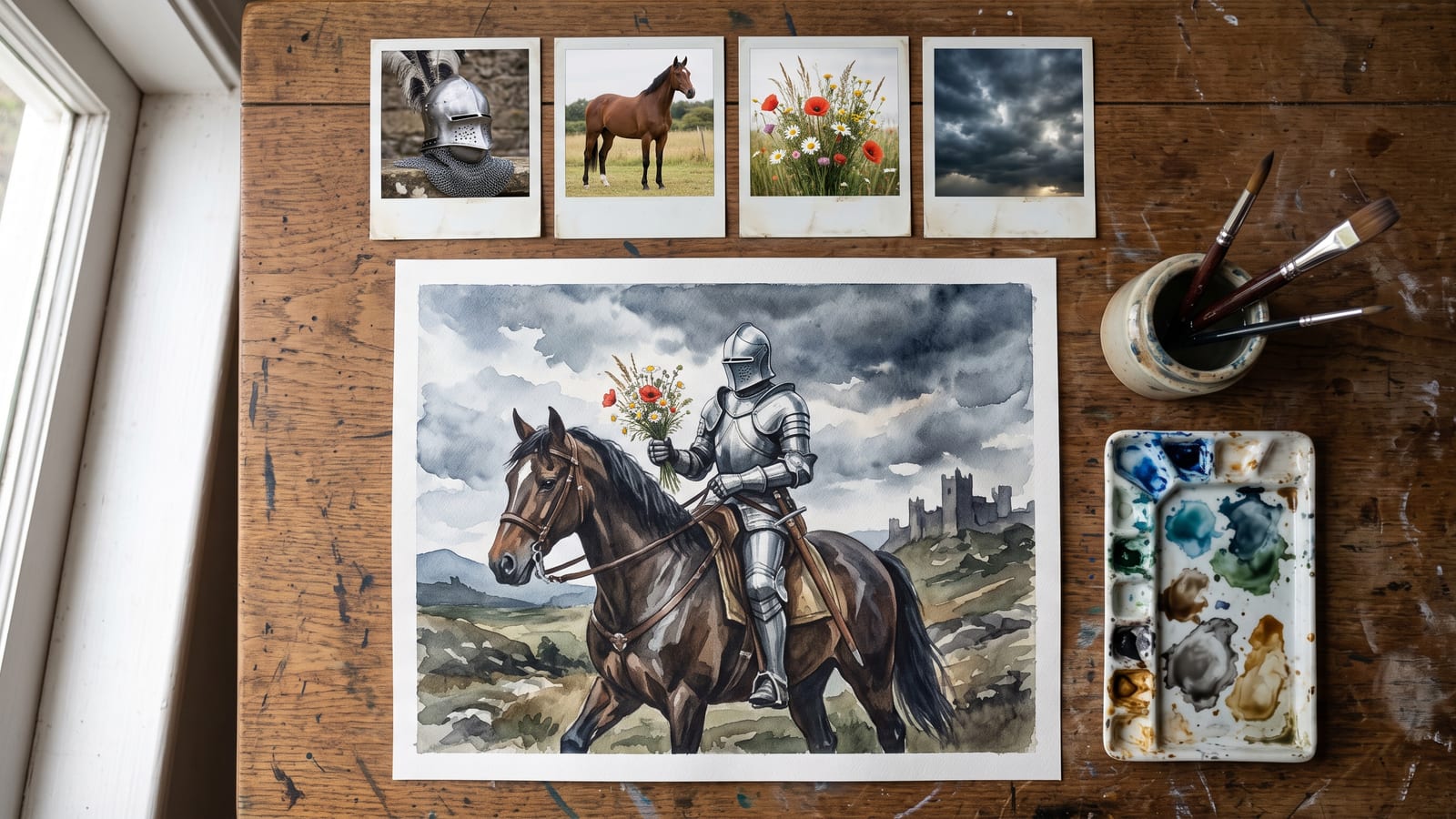
Midjourney’s Omni Reference page now says it is for V7, and tells V8 users to use the Edit Model instead. Old Omni Reference took one picture; the Edit Model takes four, which is what lets you put two characters in one scene or combine a knight, a horse and a sword into one picture. If features get mixed up between your characters, Midjourney’s tip is to combine them into one reference picture.
How to reach it, from Midjourney’s help page and launch post:
- On the website: drag pictures into the prompt bar under “Attach to prompt”, or open a picture and choose Quick Edit or Open Editor.
- In Discord: add
--editand the picture’s address to your prompt.
It has moved quickly since. Midjourney improved its picture quality on 29 August. On 24 September it said targeted edits now change “only the pixels that you’ve selected”, so you can edit again and again without the picture degrading. Since its changelog of 1 October, edits keep the original picture’s aspect ratio. Its help page says the Edit Model can be prompted with instructions, like Conversational mode, as well as with descriptions, and that --raw gives your words more control.
If keeping a character the same is what you came for, our guide to keeping a character consistent across AI pictures and video covers the habit that works in every model: one small set of reference pictures, reused everywhere.
What V8 doesn’t do
Midjourney’s feature chart for V8.1 and V8.2, read on 8 October 2026, is honest about the gaps. Worth knowing before you reach for an old habit:
- No quality parameter.
--qis not supported on V8.1 and V8.2 (the V8.0 alpha had--q 4; it is gone with that version). - No Draft Mode, no Turbo Mode, no multi-prompts. V7 still has all three.
- No Niji. Niji, Midjourney’s anime and illustration series made with Spellbrush, is separate: Midjourney’s chart pairs Niji 7 with V7 and lists no Niji for V8.
- HD has a narrower range of shapes: up to 4:1, against 14:1 at standard size.
- Some edits come back smaller. The version page still says Pan, Zoom Out and Vary Region on an HD picture return a standard-size result, which you can upscale back to HD.
- The Edit Model has its own limits. Its help page says it doesn’t work with
--tile, and its results can’t be used with Remix.
What does carry over: style references and style codes, moodboards, Personalization, image prompts, --chaos, --weird, --stylize, --raw, --exp, Relax and Fast modes, and seeds. Midjourney’s chart says a seed on V8 gives a result “99% identical”, not exactly the same.
For what each mode and plan costs, see Midjourney’s plans page.
Video is still a separate step
Midjourney’s video doesn’t come from V8 directly. Its video help page, read on 8 October 2026, describes animating one picture into a five-second clip: the picture is the first frame, and a text prompt is optional. It works with pictures from any version, and with your own pictures.
- Animate from a picture’s Creation Actions, either automatically or with your own prompt.
- Low or high motion sets how much moves.
- Loop makes the last frame match the first, and
--endlets you give a different end frame. - Plans matter: the help page says every plan can make video in Fast Mode, while Relax Mode video is for Pro and Mega plans only, at standard resolution.
Where to use it, and keeping what you make
Midjourney runs on its own website, midjourney.com, and in Discord; new features often arrive first on alpha.midjourney.com, as V8 did. Midjourney’s changelog of 1 October 2026 says new tools for working together are coming, along with a lasting edit history.
Your pictures live on Midjourney’s Organize page. Our guide to where AI images are saved explains how to download a day or a whole folder at once. Doing that regularly matters more with V8, because you now have V7, V8.0, V8.1 and V8.2 pictures side by side, and edits of each. Name what you download with the version, so you can tell them apart later.
BosOn doesn’t run Midjourney (what we connect to is on the integrations page), but you can drop Midjourney pictures into BosOn’s library and keep them with everything you make in other tools. BosOn is in early access.
We will update this page when Midjourney releases its next version, or when the Edit Model leaves testing.
Questions people also ask
What is the current Midjourney version?
V8.2. Midjourney's version page, read on 8 October 2026, says V8.2 became the default on 24 July 2026. V8.1, released on 14 April 2026, was the default from 10 June to 23 July 2026 and can still be chosen with --v 8.1.
What happened to Omni Reference and Character Reference in Midjourney?
On V8.1 and V8.2 they have been replaced by the Edit Model, which Midjourney released for testing on 27 August 2026. It takes up to four reference pictures at once. Omni Reference still exists for V7 only, and Midjourney's own Omni Reference page tells V8 users to use the Edit Model instead.
Does Midjourney V8 support the quality parameter or Draft Mode?
Not on V8.1 and V8.2, according to Midjourney's feature chart, read on 8 October 2026. The chart shows no quality parameter, Draft Mode, Turbo Mode or multi-prompting for those versions. V7 still has them if you need them.
How big are Midjourney V8 pictures?
V8.1 and V8.2 can make HD pictures at 2048 pixels, about 2K, without upscaling, using --hd or the setting on the website. HD pictures allow aspect ratios up to 4:1, against 14:1 at standard size.
Can Midjourney V8 make video?
Midjourney's video is a separate feature that animates one picture, from any version, into a five-second clip. You can animate a Midjourney picture or your own, set low or high motion, make a loop, or give an end frame with --end.
Sources
- Midjourney Docs: Version
- Midjourney: V8 Alpha (17 March 2026)
- Midjourney: V8.1 Alpha (14 April 2026)
- Midjourney: Version 8.2 (24 July 2026)
- Midjourney: Edit Model for V8 (27 August 2026)
- Midjourney: Edit Image Quality Update (29 August 2026)
- Midjourney: Edit updates, thumbnail previews, and more (24 September 2026)
- Midjourney: Alpha Changelog, 1 October 2026
- Midjourney Docs: Edit Model
- Midjourney Docs: Omni Reference
- Midjourney Docs: Video