
Magnific Desktop: what the Mac and Windows app does, and how BosOn differs
Yes. Magnific (formerly Freepik) launched Magnific Desktop for macOS and Windows on 8 September 2026. It's the full Magnific platform in its own window, with a project synced to a folder on your computer, notifications, keyboard shortcuts and, on a Mac, Shortcuts and Siri. This guide covers what it does and doesn't do, from Magnific's own pages as of 10 October 2026, then how it compares with BosOn, a desktop app built for a different job.
Yes: Magnific Desktop is an official app for Mac and Windows
Magnific, the platform that was called Freepik until April 2026 (here’s what changed), launched a desktop app on 8 September 2026. Its launch post, Magnific Desktop: your folder is now a Magnific project, sums up the reason in one list: export, find the file, upload, wait, download, drag it back, rename, “Tomorrow, again.” The app’s job is to remove those steps.
It’s the same Magnific you use on the web, with Spaces, the generators, labels and stock all where they were, running in its own native window. You download it from magnific.com/desktop, sign in with your existing account through your browser, and updates install themselves. Magnific’s post lists macOS 12 or later, and Windows, both getting the same core app on the same day.

What Magnific Desktop does
Magnific’s desktop page and launch post describe five things that change when you install it:
- Folders that sync themselves. Connect a project to a folder on your computer and new generations arrive there as real files, with subfolders kept, 3D formats included and real creation dates, so sorting by date works. You choose which file types to leave out and how much disk space the folder may use. Magnific’s point is that the tools you already use, such as Premiere, After Effects, Blender or Figma, are pointed at folders, and now the folder fills itself.
- Your files open in Magnific. Right-click a picture or video in Finder or Explorer and Magnific is in the Open With list, or send a file straight into a project.
- Its own window, with tabs that remember. Full-screen mode, an icon in your dock or taskbar, tabs that come back as you left them after a restart, and the option to sit in the menu bar or system tray and start at login.
- Your keyboard and your notifications. Undo, redo and the rest belong to the app, not the browser, and your system tells you when a long video or upscale finishes, with a thumbnail on a Mac.
- Production video formats. On supported video models you can download ProRes and other production formats; the conversion runs on your computer, which is why it’s only in the app.
On a Mac there are three more layers: 16 actions in Apple’s Shortcuts app (generating, editing, upscaling, removing backgrounds, video, audio, searching your library and managing projects), 10 Siri phrases, and two widgets showing your credits and what’s generating. Magnific says these need a recent macOS and a paid plan.
Magnific is also straight about what it doesn’t do yet. Its post lists four limits: it isn’t offline, since generating happens on Magnific’s servers; it doesn’t use your GPU; it can’t bulk-process a folder (except by building it yourself with Shortcuts on a Mac); and syncing isn’t two-way yet. On that last point the two pages word it differently: the desktop page says sync runs from Magnific to your folder, so nothing you do locally can touch your work in Magnific, while the post adds that files you drop into a connected folder are uploaded to the project.
How BosOn is different
Searching for a Magnific desktop app often means one of two things: you want Magnific in its own window, or you want your AI work on your own computer, organised. Magnific Desktop answers the first very well. BosOn, which we make, answers the second, for every tool rather than one, and it isn’t Magnific’s app. Here they are side by side, as of 10 October 2026:
| Magnific Desktop | BosOn | |
|---|---|---|
| What it is | Magnific’s official app: the Magnific platform in its own window | An independent desktop library for everything you make with AI |
| Whose work it holds | Your Magnific work, synced to a folder | Work from any tool: sent in by AI apps such as Claude and Codex, your Higgsfield history in one click, folders you link, files you drop in |
| Where files live | A folder on your computer, plus your Magnific account | Normal folders on your own computer |
| Making new work | Every Magnific tool and model, on your Magnific plan | One prompt bar across Higgsfield, Gemini and OpenAI, on the accounts you already pay for |
| Finding work | Magnific’s library and search, and Shortcuts search on a Mac | Search by what’s in a picture, whatever its file name, from descriptions BosOn’s AI writes (with an AI connected) |
| Characters | Brand Kit for a consistent brand look | Elements: a character made once, used in any prompt with @ |
| Posting | Not a feature of the app | To Facebook and Instagram (coming with early access) |
| Automation | Shortcuts, Siri and widgets on a Mac | AI apps send their work straight in |
| Systems | macOS 12 or later, and Windows | Windows 10 and 11; Macs with an Apple chip or Intel, macOS 11 or later |
| Cost | One download for your Magnific account; generating uses your plan; the Mac extras need a paid plan | Early access; no price set yet |
| Connected to the other | It is Magnific | Magnific is listed as coming; its synced folder can be linked today |
The short version: Magnific Desktop makes Magnific better. BosOn is where the work from Magnific, Higgsfield, ChatGPT, Gemini, Claude and the rest ends up together, so you can find a picture without remembering which tool made it.
Using them together
If you use Magnific alongside other tools, the two fit together through Magnific’s best feature. Point a Magnific project at a folder with Magnific Desktop, then link that folder in BosOn (File, Link existing folder). The files stay where Magnific puts them, and new ones come into your BosOn library when BosOn next checks the folder, next to your Higgsfield clips, your Claude pictures and everything else. When BosOn’s own Magnific connection arrives, it’s listed on our integrations page.
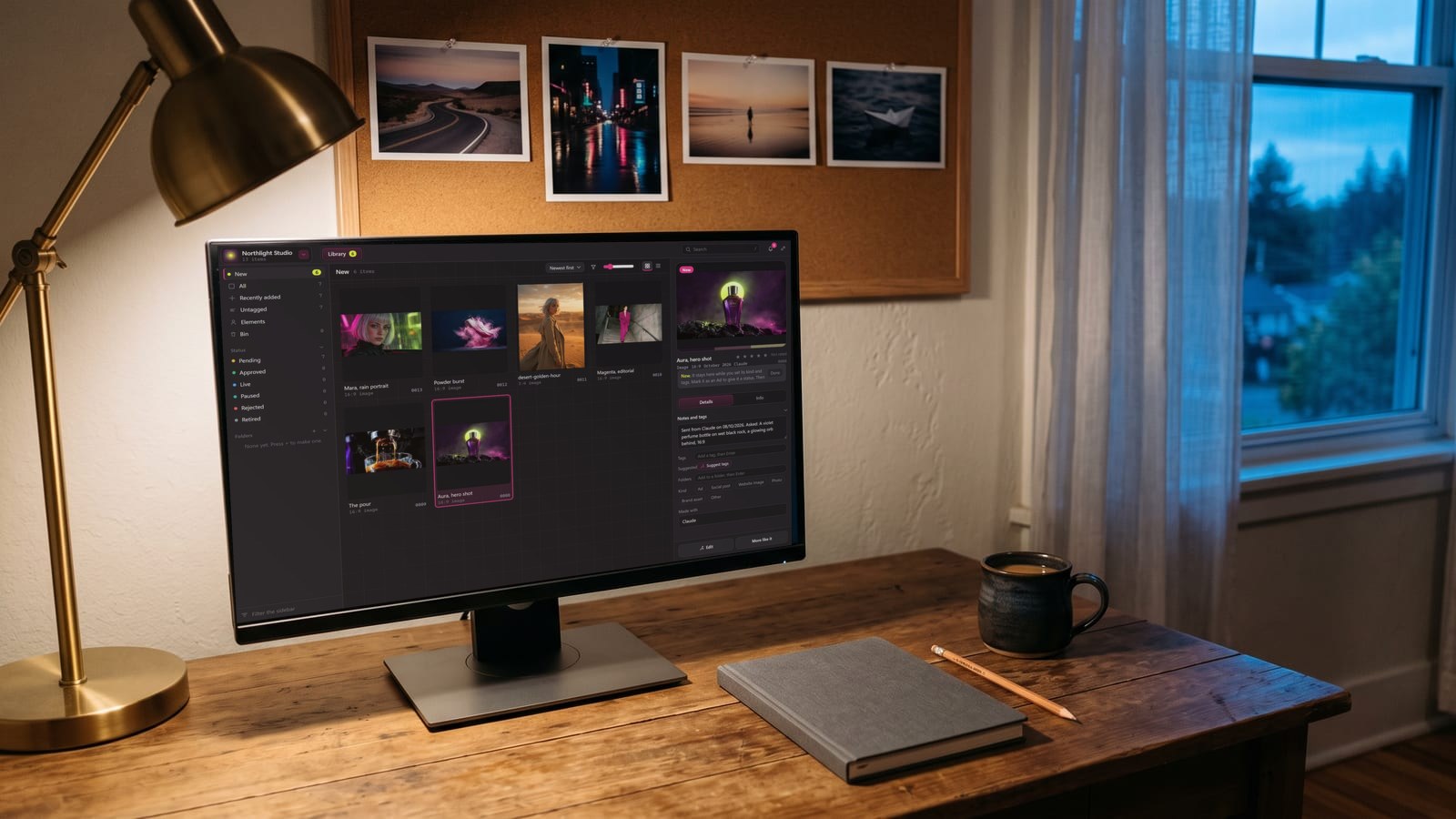
BosOn is independent and isn’t affiliated with Magnific. It’s in early access; you can read more about its library and how work arrives in it.
Which one you need
- You work mostly in Magnific and want it faster to reach, with files that save themselves into your project folders: install Magnific Desktop. It’s made by Magnific, for exactly that.
- You work across several AI tools and lose track of what you made where: that’s the job BosOn does, with Magnific’s synced folder linked in.
- You edit video in Premiere or After Effects: Magnific Desktop’s folder sync and ProRes downloads are the reason to install it, and Magnific’s plugins put its tools inside the editor too.
Questions people also ask
Does Magnific have a desktop app?
Yes. Magnific Desktop is a native app for macOS and Windows, launched on 8 September 2026 and downloaded from magnific.com/desktop. Magnific's launch post lists macOS 12 or later, and says both systems get the same core app, released the same day.
Do I need a paid plan for Magnific Desktop?
Magnific's FAQ answers that the app is one download with no waitlist, signed in with your existing Magnific account, and that the Mac's Shortcuts, Siri and widgets need a recent macOS and a paid plan. Generating uses your account's plan and credits, as on the web.
Does Magnific Desktop work offline?
No. Magnific's launch post says generation runs on its own servers, exactly as on the web, so the app needs a connection. It also doesn't use your computer's GPU.
What does Magnific Desktop do that the website can't?
It syncs a project to a folder on your computer, opens files from Finder or Explorer, sends system notifications when a job finishes, keeps your keyboard shortcuts and tabs, and on supported video models exports ProRes and other production formats, converted on your computer. On a Mac it adds 16 Shortcuts actions, Siri phrases and two widgets.
What is the difference between Magnific Desktop and BosOn?
Magnific Desktop is Magnific's own app: the Magnific platform in a window, with your Magnific work synced to a folder. BosOn is an independent desktop library for everything you make with AI, from any tool, with search by what's in each picture. You can use both: link Magnific Desktop's synced folder in BosOn.