
Magnific or Higgsfield: which suits which creator?
Magnific (Freepik's new name since April 2026) suits designers and brand teams: images, upscaling, a huge stock library and team tools under one plan. Higgsfield suits people making video, characters and ads, with its own cinema and marketing studios. This guide sets them side by side from their own pages, as of 10 October 2026, and shows when it makes sense to use both.
Two platforms that lean different ways
Magnific and Higgsfield get compared because, from a distance, they look alike: both are one subscription that gives you many AI models for pictures and video, plus tools of their own. Up close they come from different places and lean different ways.
Magnific is the new name of Freepik. Its own history of the company (26 June 2026) says Freepik started in Málaga in 2010 as a search engine for free graphics, became a stock library, bought the Magnific upscaler in May 2024, and relaunched as Magnific on 28 April 2026. It describes itself as “an end-to-end creative production platform”, bringing together image generation, video, upscaling, audio and collaboration, with a library of over 200 million creative assets.
Higgsfield describes itself, in its help centre’s What is Higgsfield? (updated 14 September 2026), as “an AI-native creative suite”: its own tools for video production, keeping a character consistent and making ads, together with third-party models under one subscription.
Here is how they line up, from each company’s own pages, read on 10 October 2026:
| Magnific | Higgsfield | |
|---|---|---|
| In its own words | “An end-to-end creative production platform” | “An AI-native creative suite” |
| Its own models | Magnific One (images with art direction and a Brand Kit), Mystic | Soul (images), Soul ID (a trained character) |
| Other makers’ models | Seedream 5 Pro, Seedance 2.5, Nano Banana Pro, Flux, GPT Image, Ideogram, Runway, Veo and more | Seedance 2.5, Nano Banana 2.1, Kling, Veo and more |
| Built for video | Video generator, project editor, upscaler and relight | Cinema Studio (camera, lens and light), Marketing Studio (ads from a product link), effects presets |
| Keeping a look or a face | A Brand Kit that guides Magnific One | Soul ID and AI Influencer |
| Stock | Over 200 million assets | None |
| Boards and teams | Spaces, a node canvas for real-time collaboration; a Business plan | Canvas, a node board with real-time collaboration |
| Agents | Agents, MCP and Flows (June 2026) | Supercomputer (paid plans), MCP, a command line with skills |
| Apps | Web, a mobile app, Magnific Desktop for Mac and Windows | Web only; no desktop or mobile app |
| Plugins | Photoshop, Premiere Pro, After Effects, DaVinci Resolve, Figma, Microsoft Office | Premiere Pro and After Effects |
Prices and credits change often, so they aren’t in this guide: see Magnific’s pricing and Higgsfield’s pricing on the day you decide.

Where Magnific is the stronger choice
- Design and brand work. Magnific One, its own image model, has what Magnific calls art direction built in: you set a Brand Kit (palette, typography, imagery and tone) once, explore in Draft with a grid of 8 or 16 options, then take one to Final, where the Brand Kit guides it. You can then fix exact type, colours and text without generating again, split the picture into layers, or open it in Designer.
- Upscaling and finishing. Magnific began as an upscaler, and the company calls that tool “still one of the best in the world”. Relight, change camera, extend and background removal sit beside it, for pictures and video.
- Stock and AI in one place. If you already use stock photos, vectors, icons, templates or mockups, Magnific’s library of over 200 million assets comes with the same platform as the AI tools.
- Working in your other apps. Plugins for Photoshop, Figma, DaVinci Resolve and Microsoft Office, as well as Premiere Pro and After Effects, plus Magnific Desktop, a Mac and Windows app (8 September 2026) that syncs a project to a folder on your computer.
- Teams. Spaces is a node canvas for real-time collaborative work, and Magnific launched a Business plan for smaller teams in January 2026.
Where Higgsfield is the stronger choice
Higgsfield’s own guide, Which Higgsfield tool should I use? (updated 1 September 2026), maps its tools to jobs, and they show where it leans:
- Directing video. Cinema Studio is for cinematic video when you want “precise control over camera, lens, and light”, with multi-shot scenes and physics-aware motion.
- Ads without a shoot. Marketing Studio turns a product link or picture into a video ad in UGC, unboxing, tutorial or TV spot styles, with audio and lip sync.
- One face everywhere. Soul ID trains a character from photos so the same face appears across pictures and video, and AI Influencer builds a consistent virtual character for ongoing content. Higgsfield’s suggested flow is to train a character in Soul ID, cast it in Cinema Studio, then make variations at scale.
- Handing over the whole job. Supercomputer takes a plain-language brief, plans the project, makes the assets and can run recurring tasks; the guide says it’s on paid plans. Higgsfield’s MCP and its command line let assistants such as Claude, ChatGPT, Claude Code, Cursor and Codex make pictures and video on your account.
One thing Higgsfield doesn’t offer is an app to install: its help centre says the website is its only official platform, with no desktop or mobile app. If that matters to you, our guide to using Higgsfield like a desktop app covers the official ways round it.
Using both, and keeping the work from each in one place
The two overlap less than the comparison suggests, so plenty of creators pay for both: video and characters in Higgsfield, stills finished and upscaled in Magnific. That works well until you need to find something, because each keeps its own library in its own account, and neither will hold the other’s work.
That’s the gap we built BosOn for. It’s a desktop app for Windows and Mac that keeps everything you make with AI in one library on your own computer, whichever tool made it. It works with your Higgsfield plan and the Higgsfield API today, so it can run Higgsfield’s models and bring in what’s already in your Higgsfield account with one click. Magnific isn’t connected yet; it’s listed as coming on our integrations page. Until then, if you use Magnific Desktop’s folder sync, link that folder in BosOn and new files in it come into your library when BosOn next checks it.
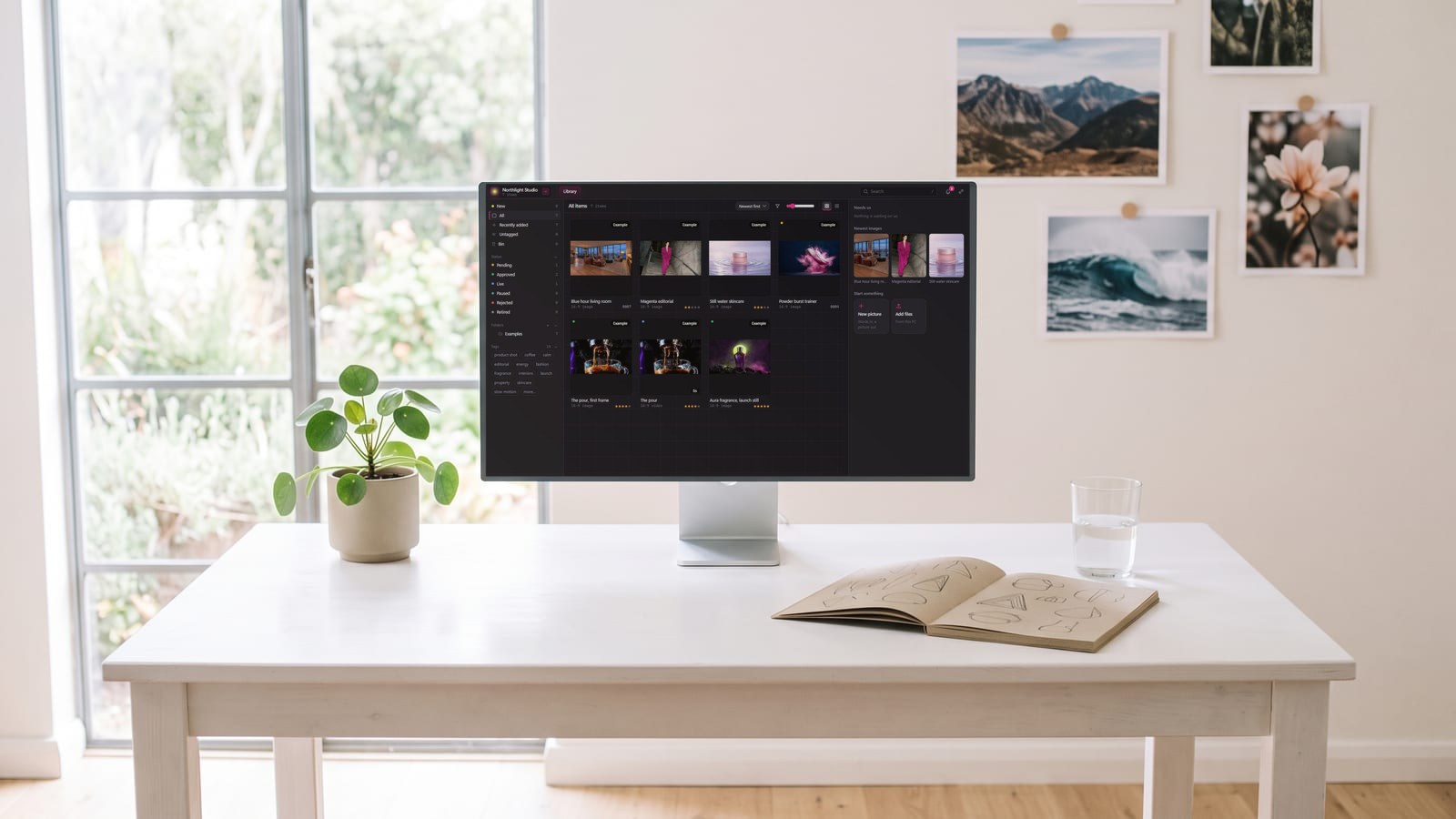
BosOn is independent and isn’t affiliated with Magnific or Higgsfield. It’s in early access.
Which to choose
- Mostly stills, brand work, design layouts or stock: start with Magnific.
- Mostly video, ads, or one character across many pieces: start with Higgsfield.
- Upscaling and relighting stills you already have: Magnific’s specialist tools.
- A bit of everything: check both pricing pages for a free or trial option, run one real project through each, and keep the results side by side before you commit.
Questions people also ask
Is Magnific better than Higgsfield?
Neither is better overall; they lean different ways. Magnific is built around images, upscaling, stock and design work, with plugins for Photoshop, Figma and Office. Higgsfield is built around video, consistent characters and ads, with Cinema Studio, Marketing Studio and Soul ID. Pick by the work you make most.
Is Magnific the same as Freepik?
Yes. Freepik bought the Magnific upscaler in May 2024 and relaunched the whole platform under the Magnific name on 28 April 2026, according to Magnific's own history of the company. The stock library, the AI tools and the upscaler are now one platform called Magnific.
Which is better for upscaling, Magnific or Higgsfield?
Magnific began as an upscaler, and the company calls it still one of the best in the world. Higgsfield also upscales, for example in its Premiere Pro and After Effects plugins, which take footage up to 4K or 8K. If upscaling stills is central to your work, Magnific is the specialist.
Does Magnific or Higgsfield have a desktop app?
Magnific does: Magnific Desktop, for macOS and Windows, launched on 8 September 2026. Higgsfield doesn't; its help centre says the website is its only official platform and that it has no desktop or mobile app.
Can I use Magnific and Higgsfield together?
Yes, and many creators do: for example making a video with a character in Higgsfield and upscaling or relighting stills in Magnific. They are separate accounts with separate plans and libraries, so download what you keep from each into one place of your own.
Sources
- Magnific: From Freepik to Magnific, the story of Europe's largest AI creative platform (26 June 2026)
- Magnific: Magnific One
- Magnific: Spaces
- Magnific: Magnific Desktop, the app for macOS and Windows (8 September 2026)
- Higgsfield Help Center: What is Higgsfield? (updated 14 September 2026)
- Higgsfield Help Center: Which Higgsfield tool should I use? (updated 1 September 2026)
- Higgsfield Help Center: What are the official Higgsfield platforms? (updated 24 September 2026)
- Higgsfield: Plugins for Adobe Premiere Pro and After Effects